Features · Blocks
Flipbook
Upload a PDF, such as a menu, brochure or catalog, and visitors turn its pages like a real book, right on your site.
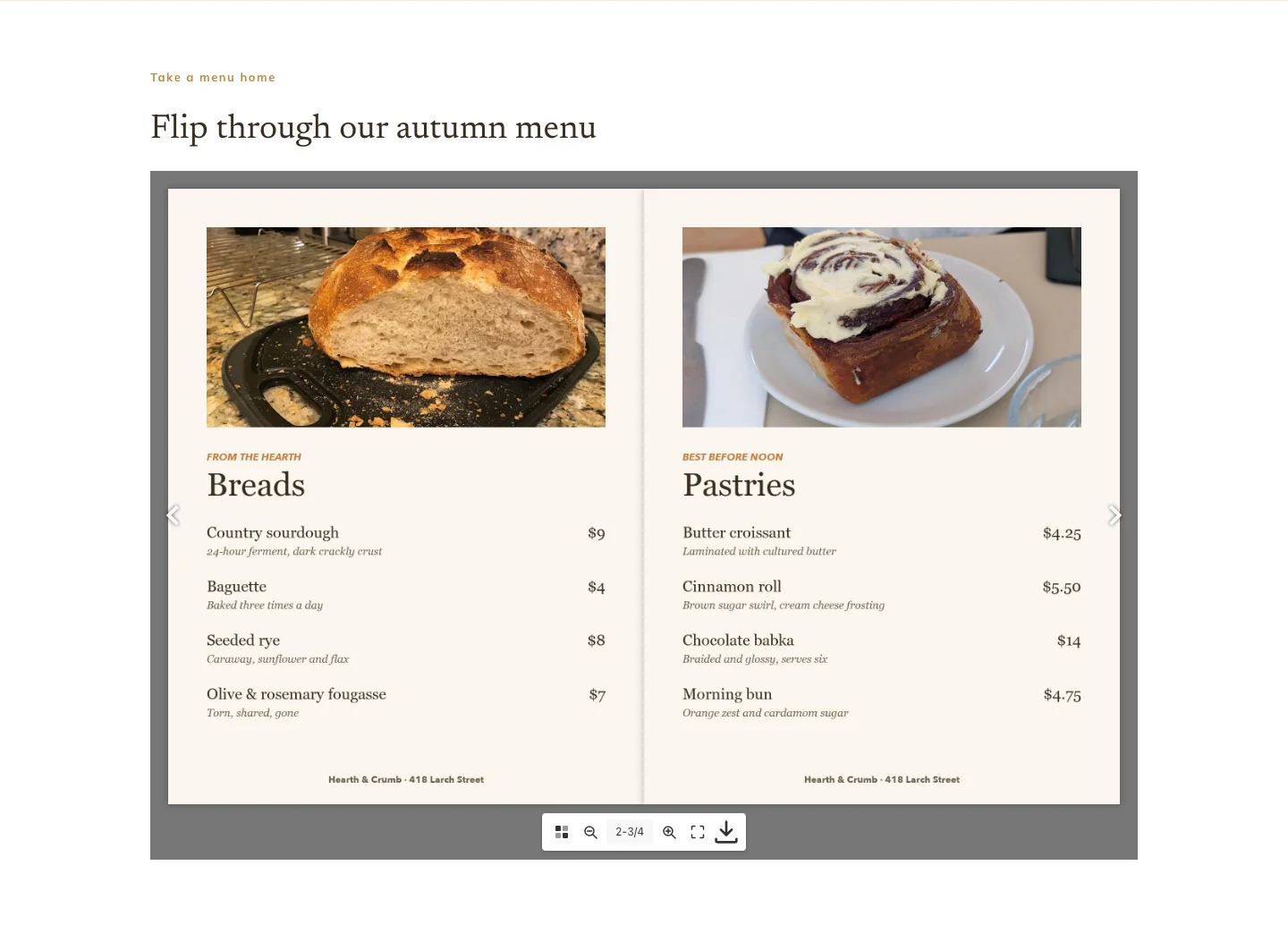
Add a Flipbook, upload your PDF, and Domfly turns every page into a picture for you. Visitors never have to download the file or open a PDF viewer. The book loads fast because only the cover appears at first, and each page loads as someone turns to it.
Turning the pages
Visitors click the arrows, swipe on a phone, or use the left and right arrow keys. On a wide screen the book opens into two-page spreads, the way a printed brochure does. In a narrow space it shows one page at a time.
The toolbar
Under the book, visitors can:
- see every page as a thumbnail and jump straight to one
- zoom in and out
- go full screen
- download the original PDF
Found by Google
Give the book a title and every page picture is labelled with it ("Autumn menu, page 2"). If your PDF has real text in it, that text is also placed under the book in a Read this brochure as text section, so search engines can read what your pages say.
Fits your page
Set the book's height separately for desktop, tablet and phone, and pick the color behind it.
Related features
- Gallery — Show a set of photos as a grid, a sliding carousel or a masonry wall, and let visitors click any photo to see it full size.